Overtime
For quite a while, the project page said version 2 would come “probably later than planned”. That was the most accurate thing I’ve written on this site. On Air Clock 2.0 is out now, almost four years after the first version and more than 30,000 installs later.
What’s new
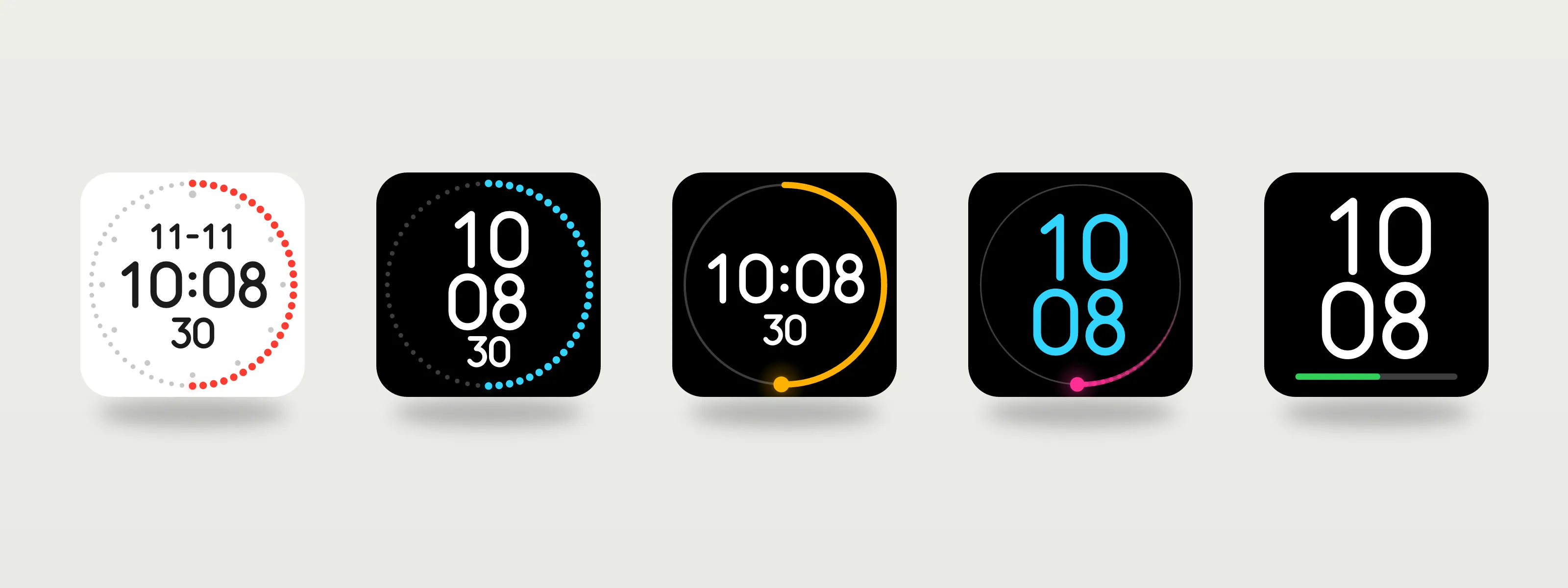
Next to the classic on-air face there are four more now: Modern Minimal from version 1, plus Line, Comet and Big. Big is for the people who asked for a clock they can read from the other side of the room, which turned out to be me.
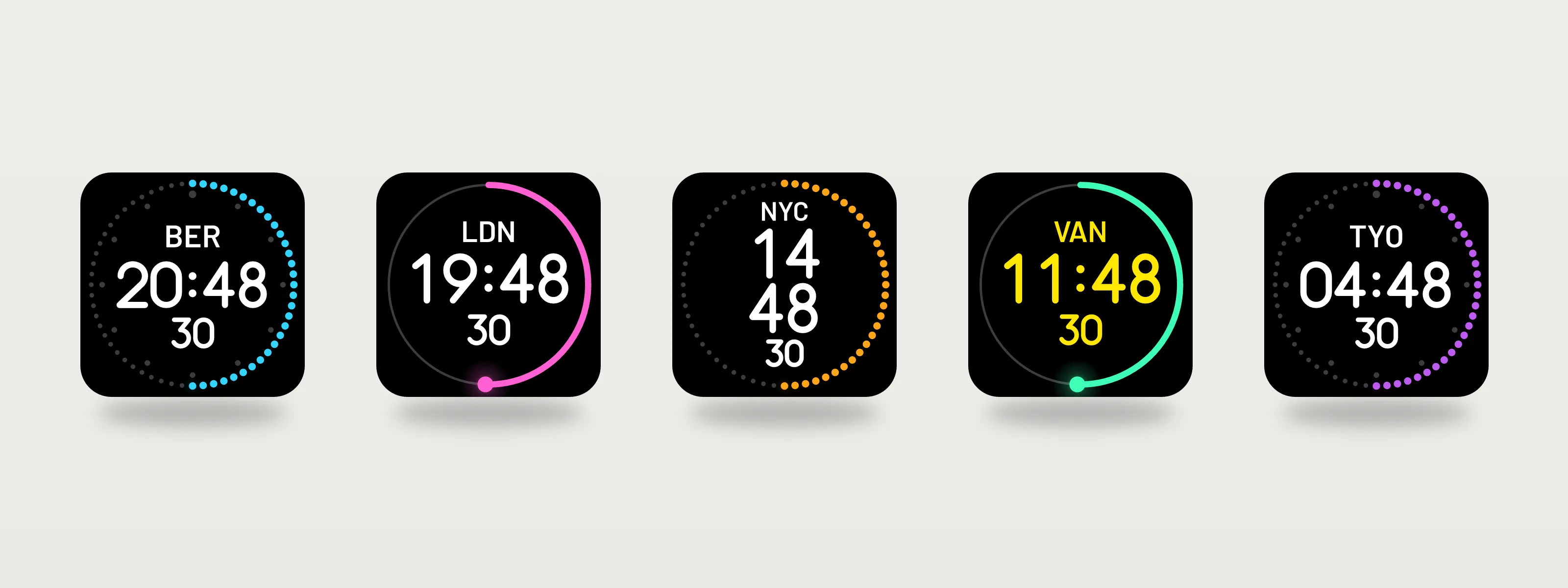
Every key can have its own time zone and a short label like NYC. That one came up in the GitHub issues more than once. And there is a countdown: put a Countdown key next to your clocks, press it, and every clock on that Stream Deck counts down with it. If you keep talking at zero, it counts the overtime. The most broadcast feature I could think of. A plus and a minus key set the time before you start, and give or take time while it runs, for when the producer wants one more minute.
Colours got an upgrade, too. Ring, time, dots and background can each have their own colour now, so a red ring with white digits is finally possible.
Rebuilt, not repainted
Version 1 was my first plugin: a canvas drawing inside an HTML page. Version 2 is a rewrite on Elgato’s current SDK. Every key is drawn as SVG, with digits made of simple lines instead of a font, so the clock looks the same on Mac and Windows. The plugin ID stayed the same, so updating keeps your keys and your settings.
Like with most products nowadays, I didn’t write the code myself. Claude did. I did the deciding, the vetoing and the testing, but for me, that’s the fun part.
Testing at my desk
On the first try, on my screen everything looked great. On the real key, the date and the seconds were unreadable. So everything got bigger: the ring moved outwards, like in version 1, and the small digits grew by up to 70 percent.
The smooth ring on Line, Comet and Big took three rounds. First it jumped once per second, then it stuttered, and with ten frames per second it finally moves like a studio clock should. With a full Stream Deck of clocks, the dot faces need less CPU than version 1 did. The smooth rings need a bit more, and you can switch animations off.
What didn’t make it
A giant clock spread across several keys. I tried. It looked like a glitch, so it stayed in the drawer.
Get it
The update comes through the Stream Deck app, as usual. You need Stream Deck software version 7.1 or newer. If something breaks or a feature is missing, the GitHub issues are open. I read every one. I just answer in broadcast time, which means: a bit later than planned.
Part of the On Air Clock making-of.